NAWI Conformity Assistant: conformity assessment of scales – guided, not searched for
Conformity assessment of non-automatic weighing instruments under 2014/31/EU in eight guided steps: load a preset, prove module compatibility automatically, tests with instant evaluation, reports and EU declaration of conformity at the push of a button. With integrated training.
What this is about
Anyone placing non-automatic weighing instruments on the market for trade use knows the effort. The compatibility check is done in an Excel workbook, the test records on paper, and the standards are spread over several binders. One assessment easily takes half a day – and a single overlooked point prevents the marking.
The NAWI Conformity Assistant turns this work into a guided process. It is based on Directive 2014/31/EU and EN 45501:2015, which corresponds in content to OIML R 76-1:2006. Every step explains what is checked and why, and every calculation shows the values used. At the end you have the test report, compatibility certificate, checklist and the draft EU declaration of conformity.
The system is designed for manufacturers working under Module B + D: the instrument family has an EU type-examination certificate and production runs under a certified quality system. Testing, marking and the declaration of conformity are the manufacturer's responsibility; the notified body monitors the quality system. Procedures B + F, F1 and G can also be selected.
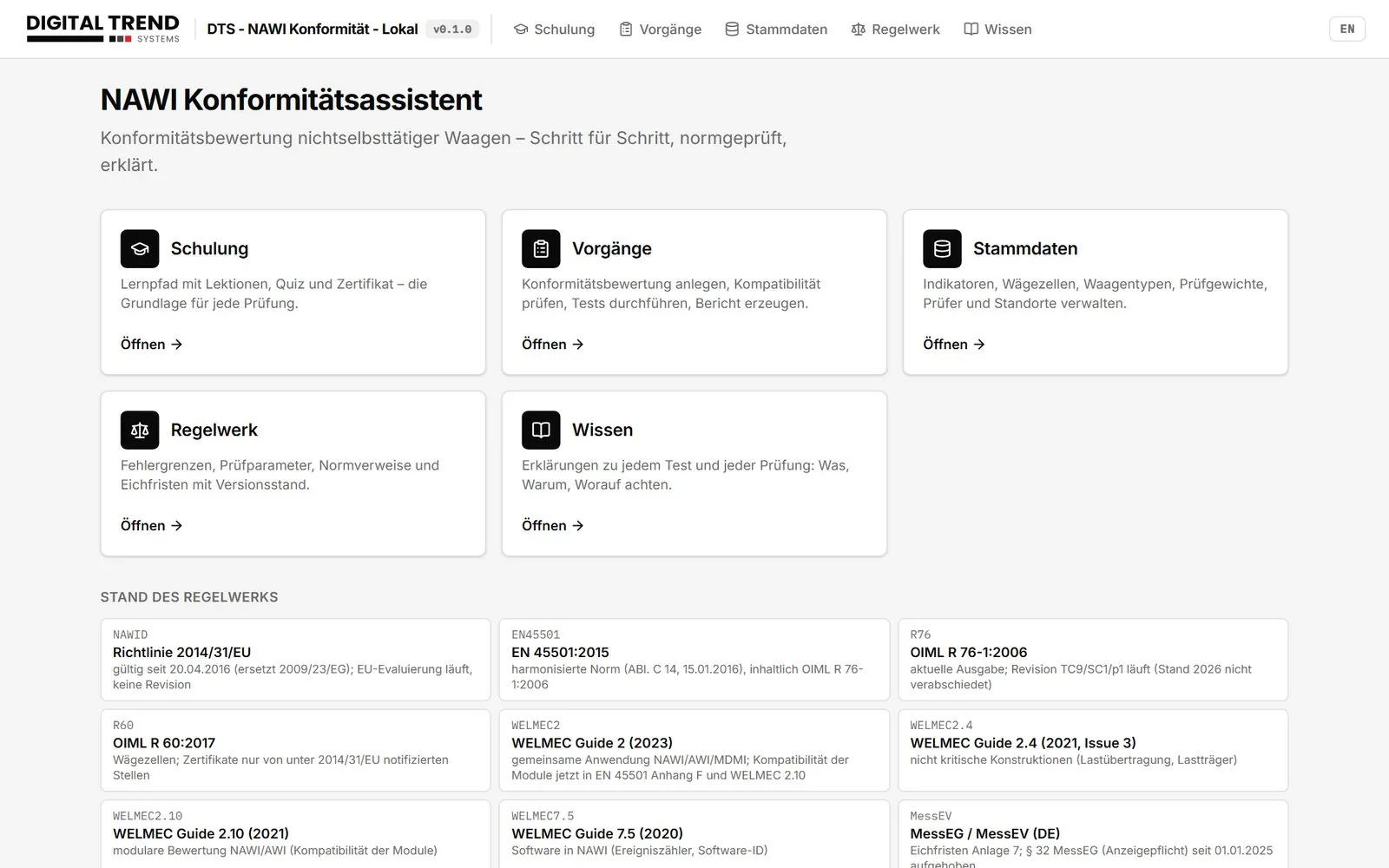
Start page of the NAWI Conformity Assistant
Why existing processes often no longer fit
Many process descriptions still date from the days of Directive 2009/23/EC and EN 45501:1992. They often also contain the notification obligation under Section 32 of the German MessEG, which no longer applies since 2025.
The knowledge needed is also scattered: maximum permissible errors, load points, rules for substitution loads and the formulas of the compatibility check are found in standards, WELMEC guides and Excel formulas that nobody can explain any more.
In practice, assessments usually fail on the same points. Typical examples are an expired type-examination certificate, incorrectly set zero tracking, or a zero test without high resolution, i.e. without the increased display resolution for test purposes. Just as often, the event counter is read before high resolution has been switched off again.
The process in eight steps
Order: You enter customer, installation site, inspector and intended use. The system calculates the gravitational acceleration g from latitude and altitude.
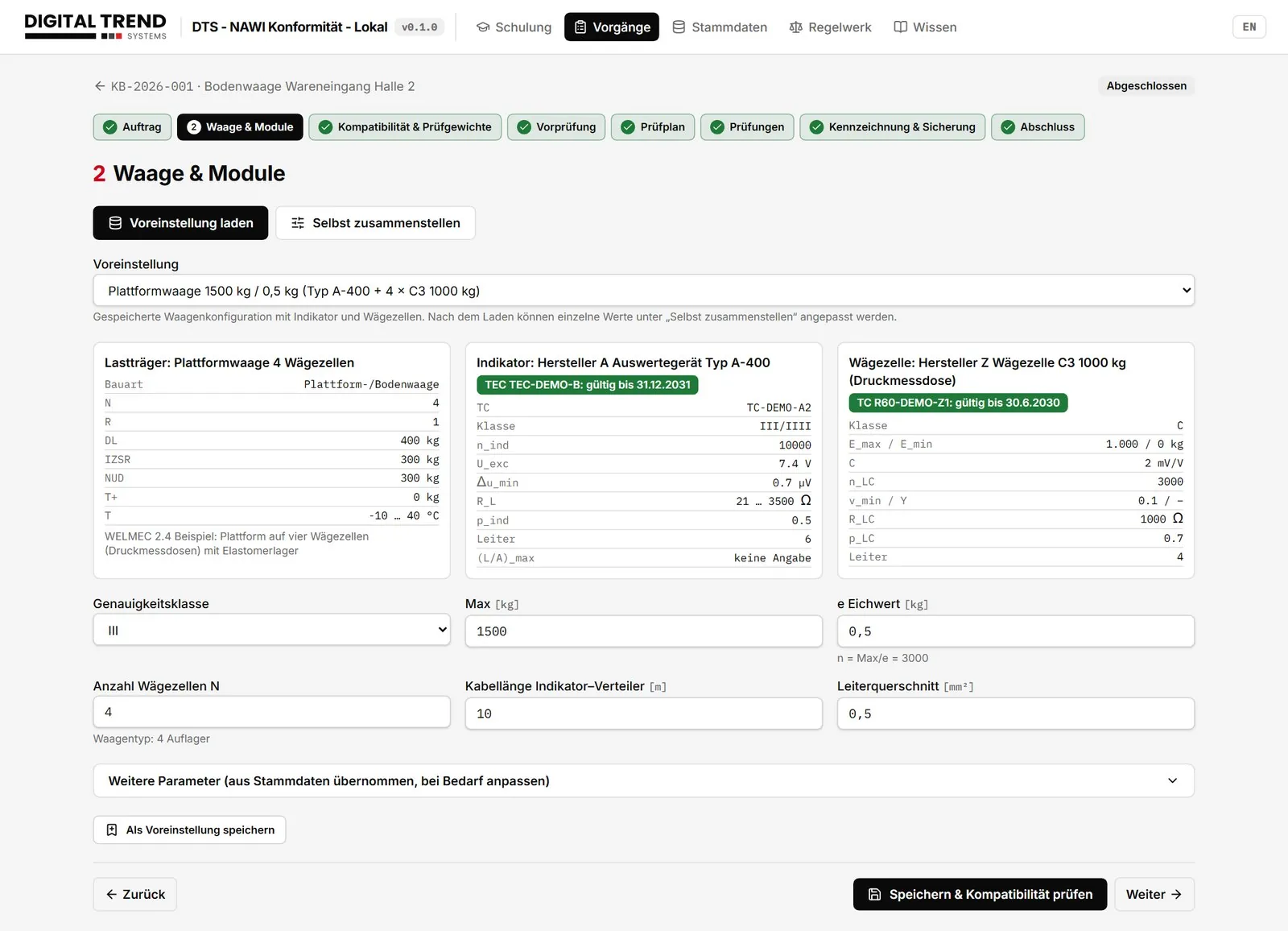
Instrument and modules: You load a preset or select the instrument type, indicator and load cell from the database. The certificate values are taken over; you only enter class, maximum capacity, verification scale interval, number of load cells and cable.
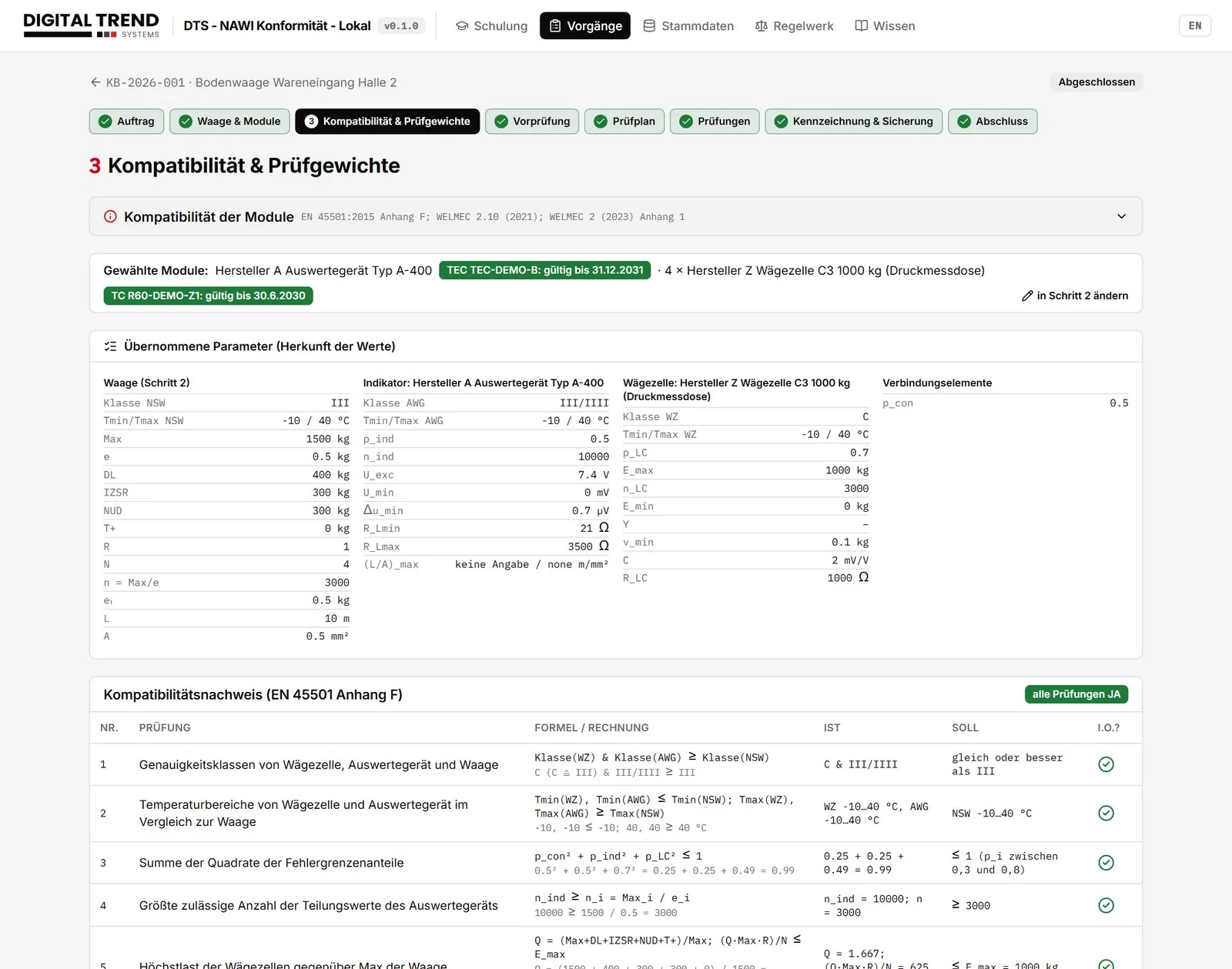
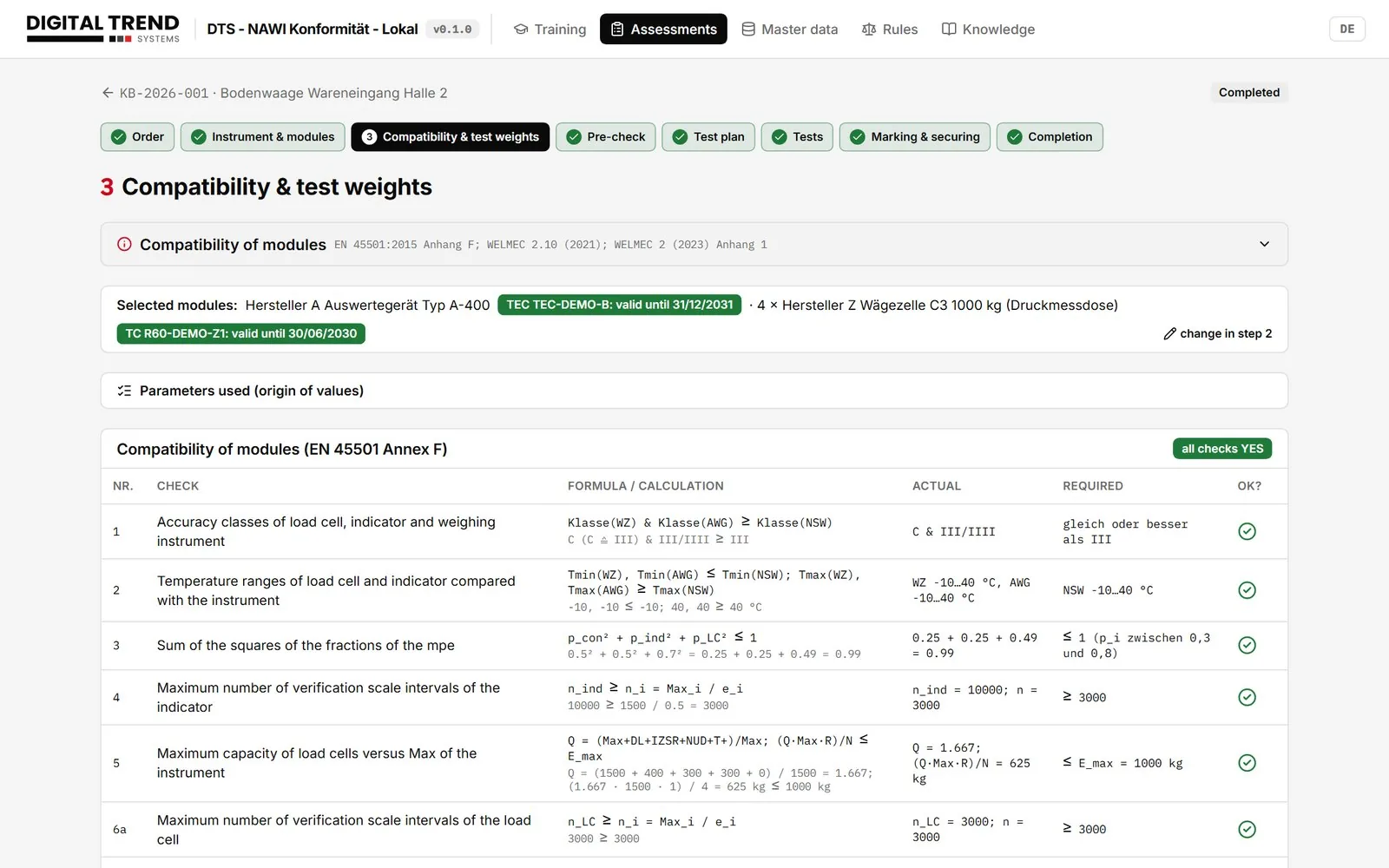
Compatibility: The system carries out the ten checks according to EN 45501 Annex F, each with formula, values and their origin.
Preliminary check: Before measuring, you record the visual inspection, settings, software identification, event counter, temperature and test weights.
Test plan: The plan is generated automatically from class, design and options. The load points are placed where the maximum permissible error changes.
Tests: Each test has its own page with explanation, input and instant evaluation.
Marking: You document the data plate, seals, photos, event counter and verification period.
Completion: The system checks for completeness and generates the reports.
Step 2: preset loaded, module characteristics from the database
Compatibility check: every calculation in the open
The check according to Annex F verifies whether load receptor, indicator and load cells fit together. The assistant shows each check with formula and figures and notes which certificate a value comes from.
Step 3: compatibility check with the values used
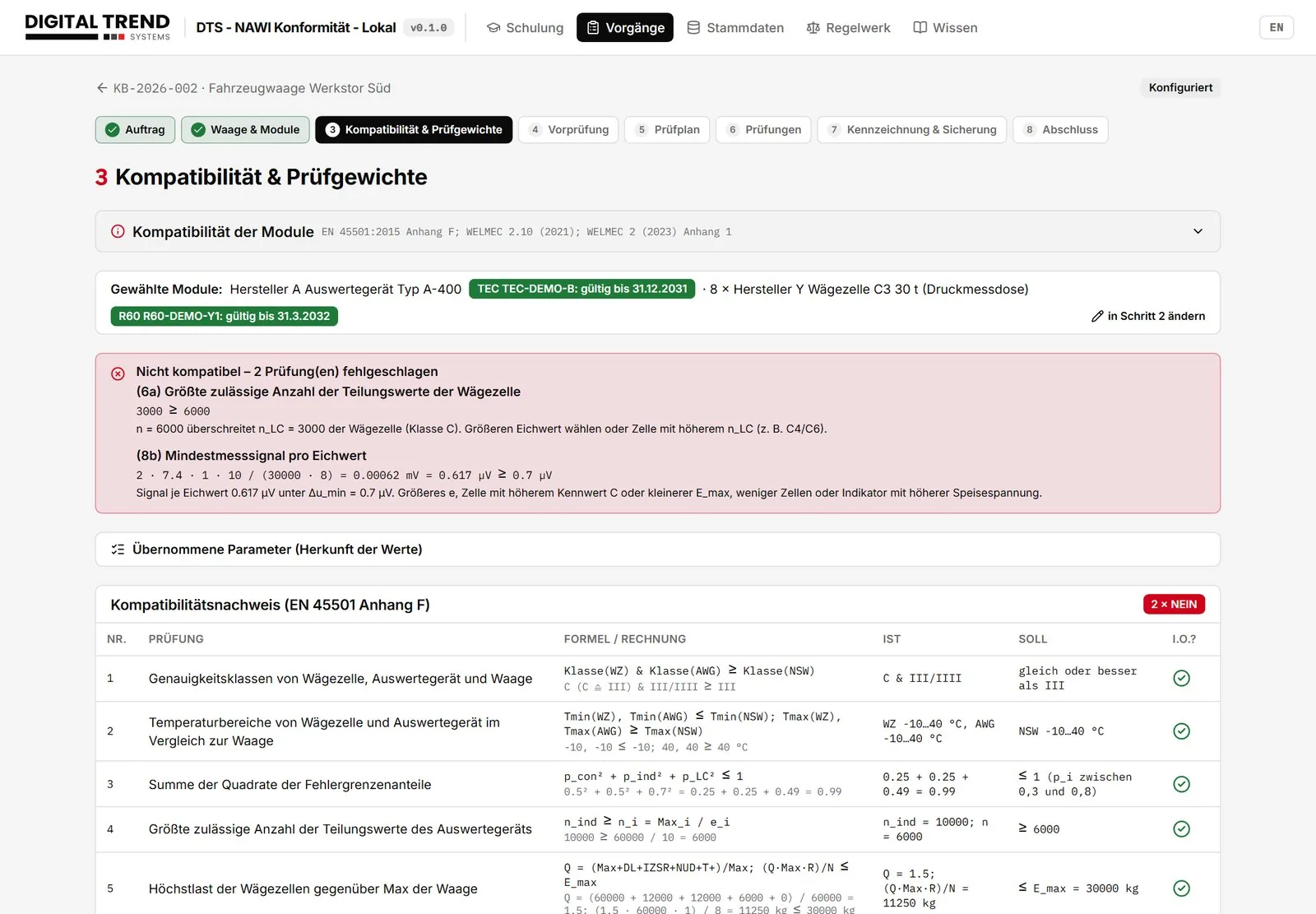
If a check fails, the system states the reason and a remedy, for example: "n = 6000 exceeds n_LC = 3000 of the load cell. Choose a larger verification scale interval or a load cell with a higher n_LC." No more troubleshooting in Excel.
Not compatible: calculation, reason and remedy
Tests: evaluation while you measure
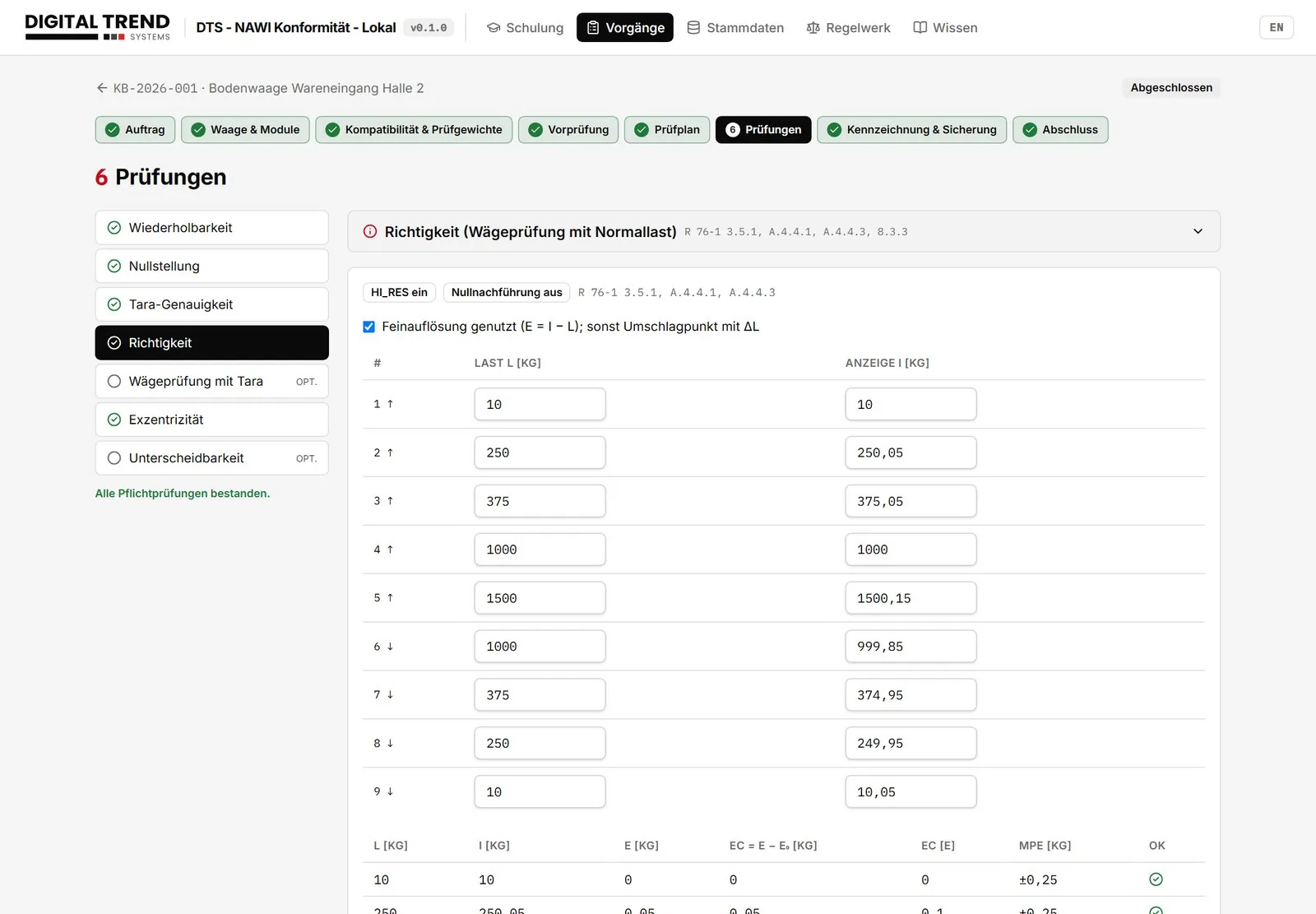
For accuracy, repeatability, zero setting, tare, eccentricity and rolling load, the assistant evaluates every indication immediately against the maximum permissible error for initial verification. So you can see on site whether a load point has to be measured again. The system calculates the tare shift check itself and only asks for the practical tare test when it is needed.
Accuracy test with instant evaluation
Marking and sealing
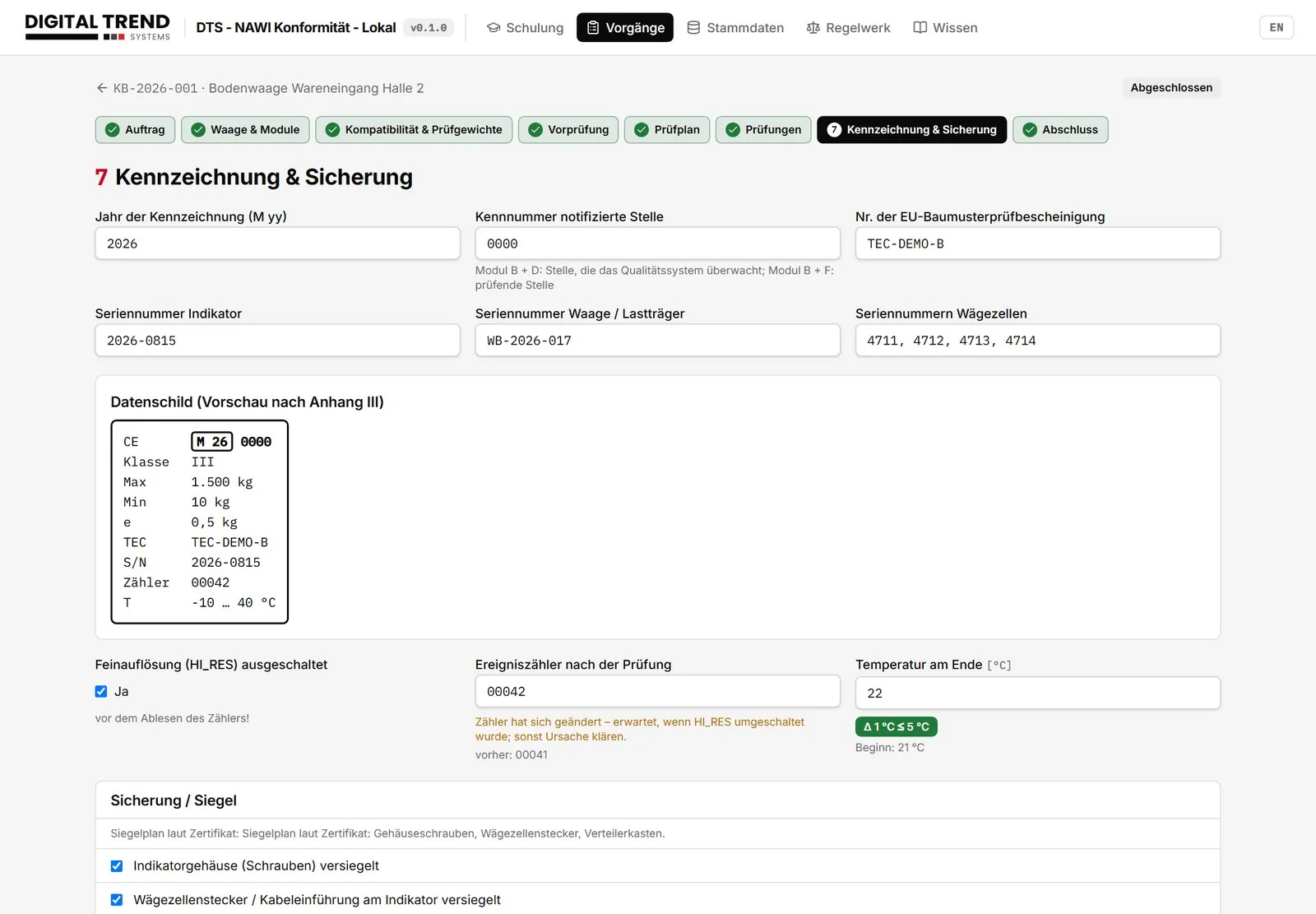
The data plate preview contains the CE and metrology marking, the year and the identification number of the notified body. The seal checklist follows the drawing in the certificate, and photos document the condition. The system records the event counter only after high resolution has been switched off, and the verification period according to Annex 7 of the German MessEV.
Marking and sealing
Reports and declaration of conformity
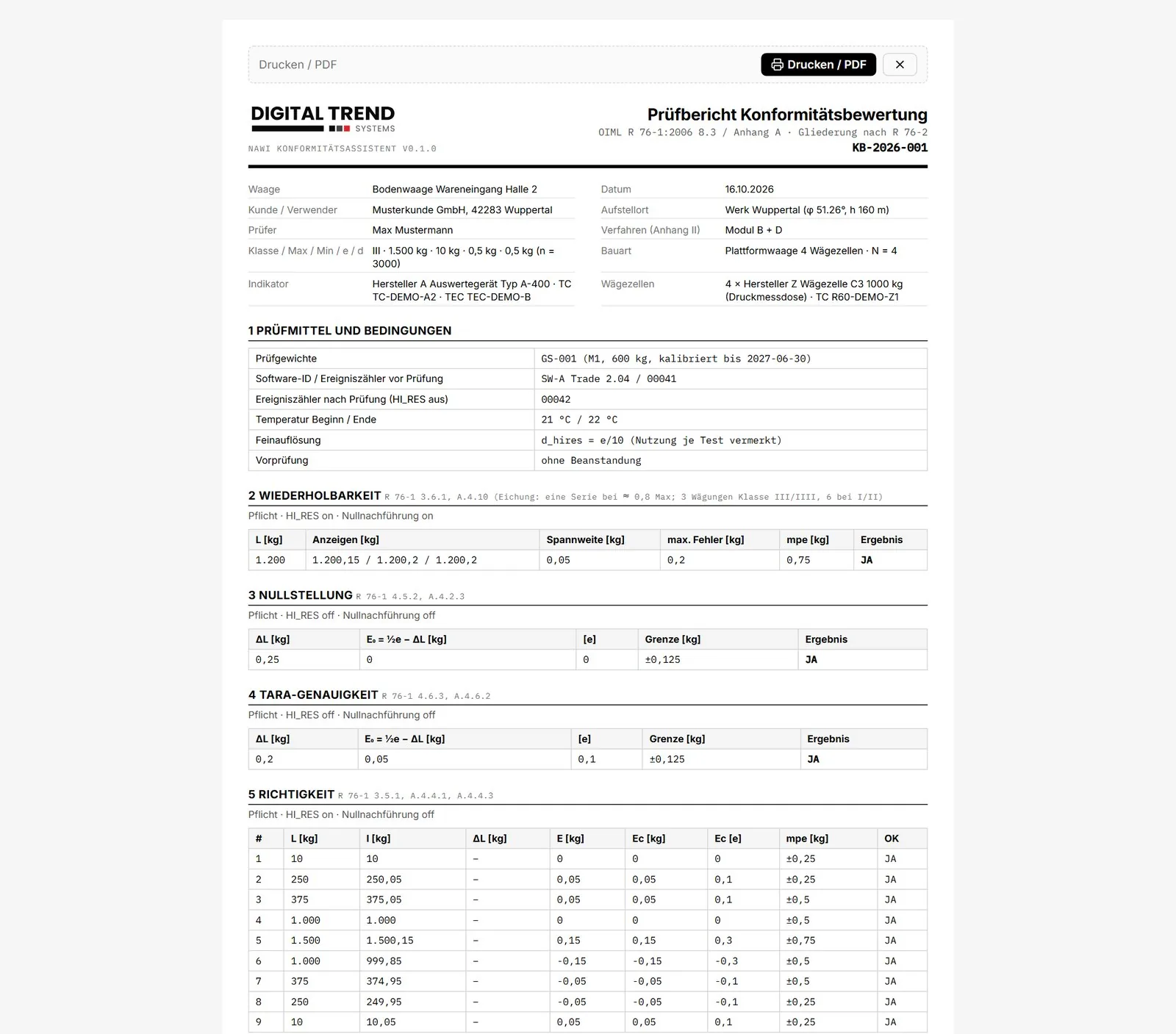
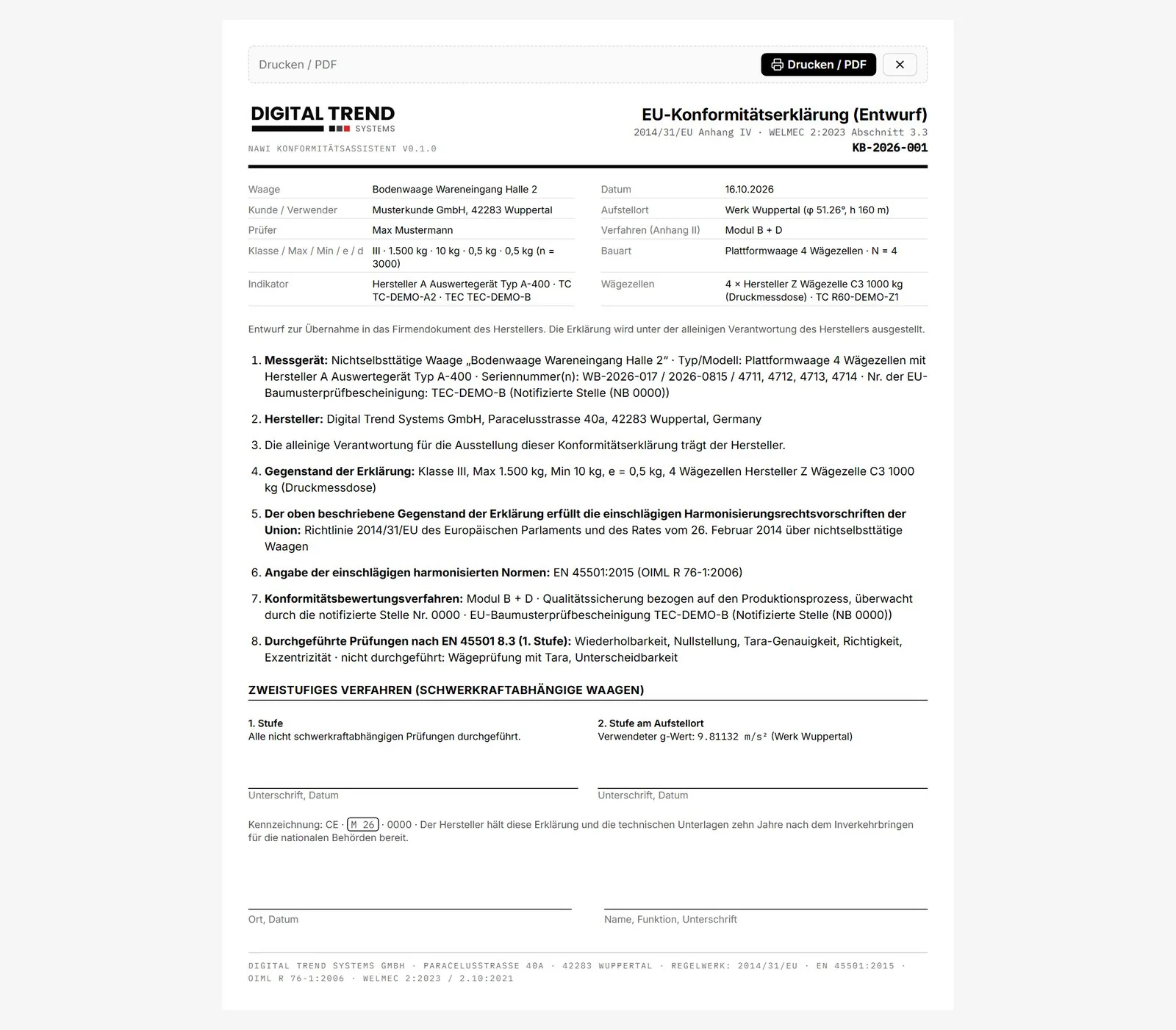
Four print-ready documents are created for each job. The compatibility certificate follows the form in EN 45501 Annex F, the test report the structure of OIML R 76-2. In addition, there is the checklist and the draft EU declaration of conformity according to Annex IV, also for the two-stage procedure with the g value of the installation site.
Test report
EU declaration of conformity (draft)
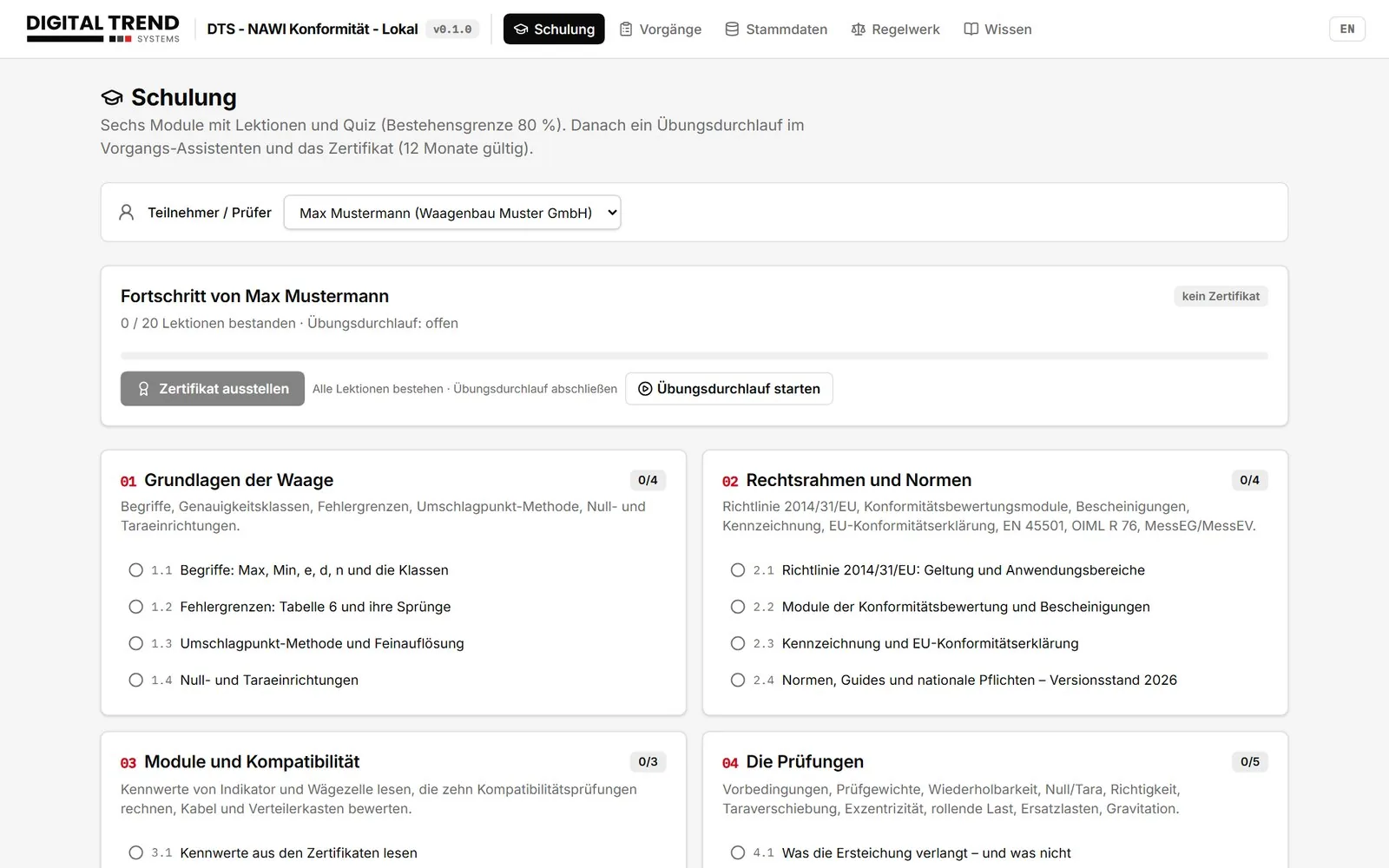
Training for inspectors
The system includes training with six modules and 20 lessons in German and English. It covers the basics, the legal framework, compatibility, tests, software and seals; every lesson ends with a quiz. After a practice run with built-in pitfalls, the inspector receives a certificate, and the training status appears on every job.
Training with learning path and certificate
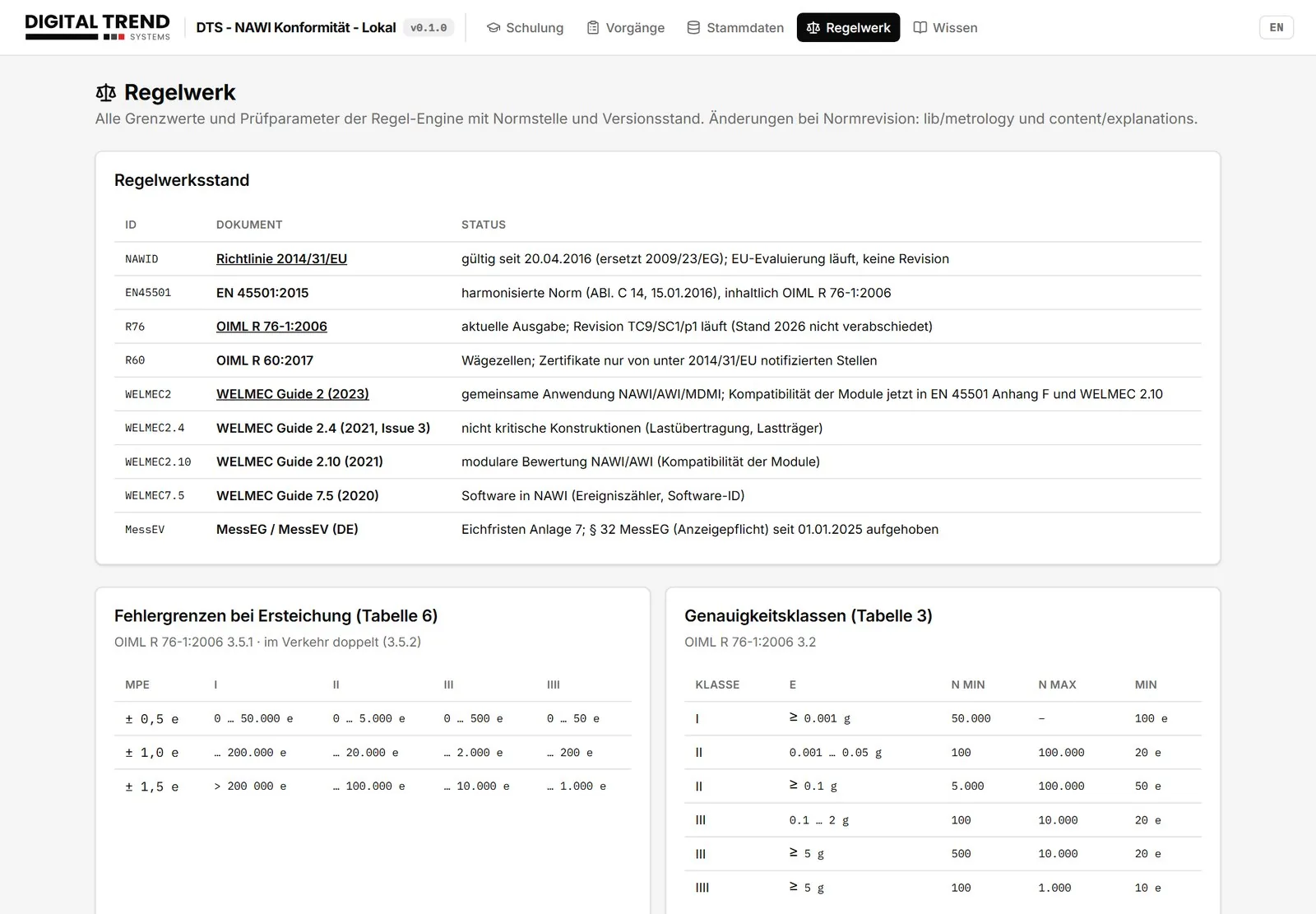
Rule set and version of the standards
All limits and test parameters are stored with the clause and edition of the standard. This includes Tables 3 and 6 of OIML R 76, the test parameters according to Annex A, the verification periods according to Annex 7 of the MessEV and WELMEC Guides 2 (2023), 2.4 (2021), 2.10 (2021) and 7.5 (2020). A revision of a standard is entered in one place, and every job saves the version it was assessed against.
Rule set
What you gain
Faster on site
Presets instead of typing, automatic test plan, instant evaluation of every indication.
Compliant with the standards
Test catalogue according to EN 45501:2015 / OIML R 76-1:2006 and WELMEC 2, 2.4, 2.10, 7.5.
Traceable
Formula, values, origin and reasoning for every check; log for every job.
Fewer errors
Expired certificates are blocked, typical practical errors are caught.
Suited to Module B + D
The evidence for quality system surveillance is created as part of the process.
Qualified inspectors
Training, quiz, practice run and certificate included.
Open
JSON export and import, PDF reports, interface to ERP and CAQ.
Local and offline
Runs on the inspector's laptop, data stays in-house.
Data, export and languages
Master data such as indicators, load cells, instrument types, test weights and presets can be exported as JSON, maintained centrally and distributed to several inspection laptops. Completed jobs are transferred with measured values, evaluations, photos and log into ERP, CAQ or document management systems. The format is versioned and documented. The user interface, explanations and lessons are available in German and English.
English user interface
Frequently asked questions
Which scales is the system intended for?
Non-automatic weighing instruments of classes I to IIII within the scope of Directive 2014/31/EU: platform and floor scales, vehicle scales and weighbridges, hopper and tank scales. Single-range instruments in version 1; multi-range and multi-interval instruments are prepared in the data model.
Which procedures are supported?
The default is Module B + D (type examination plus the manufacturer's quality assurance). B + F, F1, D1 and G can be selected; the declaration of conformity adapts to the procedure.
Is the system tied to one manufacturer?
No. Indicators and load cells from any manufacturer are stored as master data with the characteristics from their certificates.
What happens when a standard is revised?
Limits, test parameters and clause references are stored in one place with their version and updated there; every job saves the version of the standards it was assessed against.
Where is the data stored?
Locally on the user's computer (SQLite file and photos in the file system). Multi-user operation with a central database is prepared.
Does the system replace the notified body?
No. It structures and documents the work of the manufacturer or inspector and provides the evidence the notified body expects when monitoring the quality system.
All screenshots come from an anonymised demo database without real manufacturers, types or certificate numbers; measured values are simulated.