4 stepstask → weigh → bin → posting
± 2 %check against the delivery
SAP S/4HANAmaterial document instantly
The starting point in this industry
In goods receipt, goods are often handled twice: once for weighing on a stationary scale, once for putting away. Deviations from the delivery are noticed late or not at all, and posting happens at a desk, hours after the movement.
With a scale on the forks, weighing happens while lifting. The software in between is what matters: it has to know what is expected, check what arrives and reflect the movement in the ERP immediately.
How it works
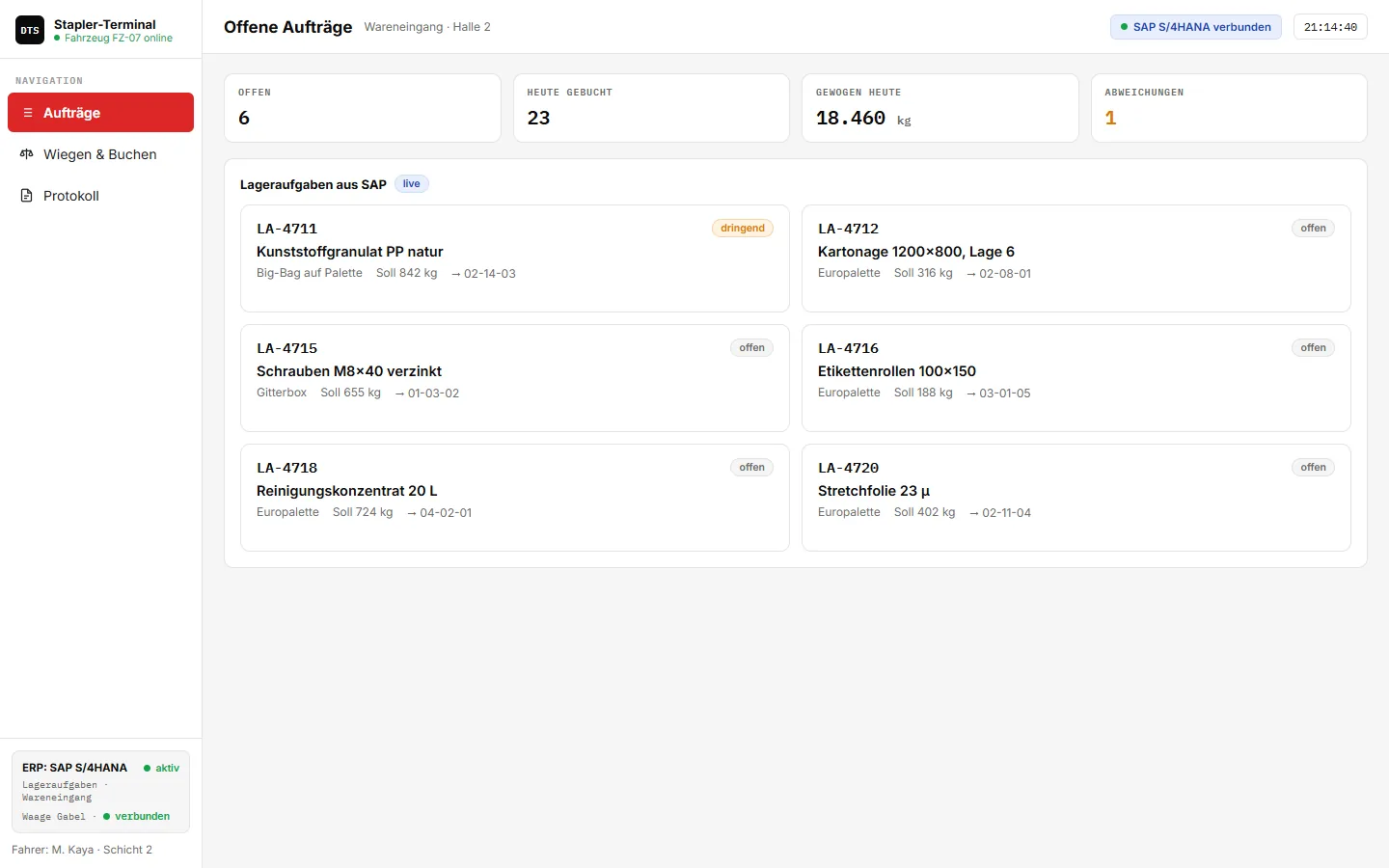
- Take over the taskThe warehouse task comes from SAP – with material, delivery, target weight and destination bin.
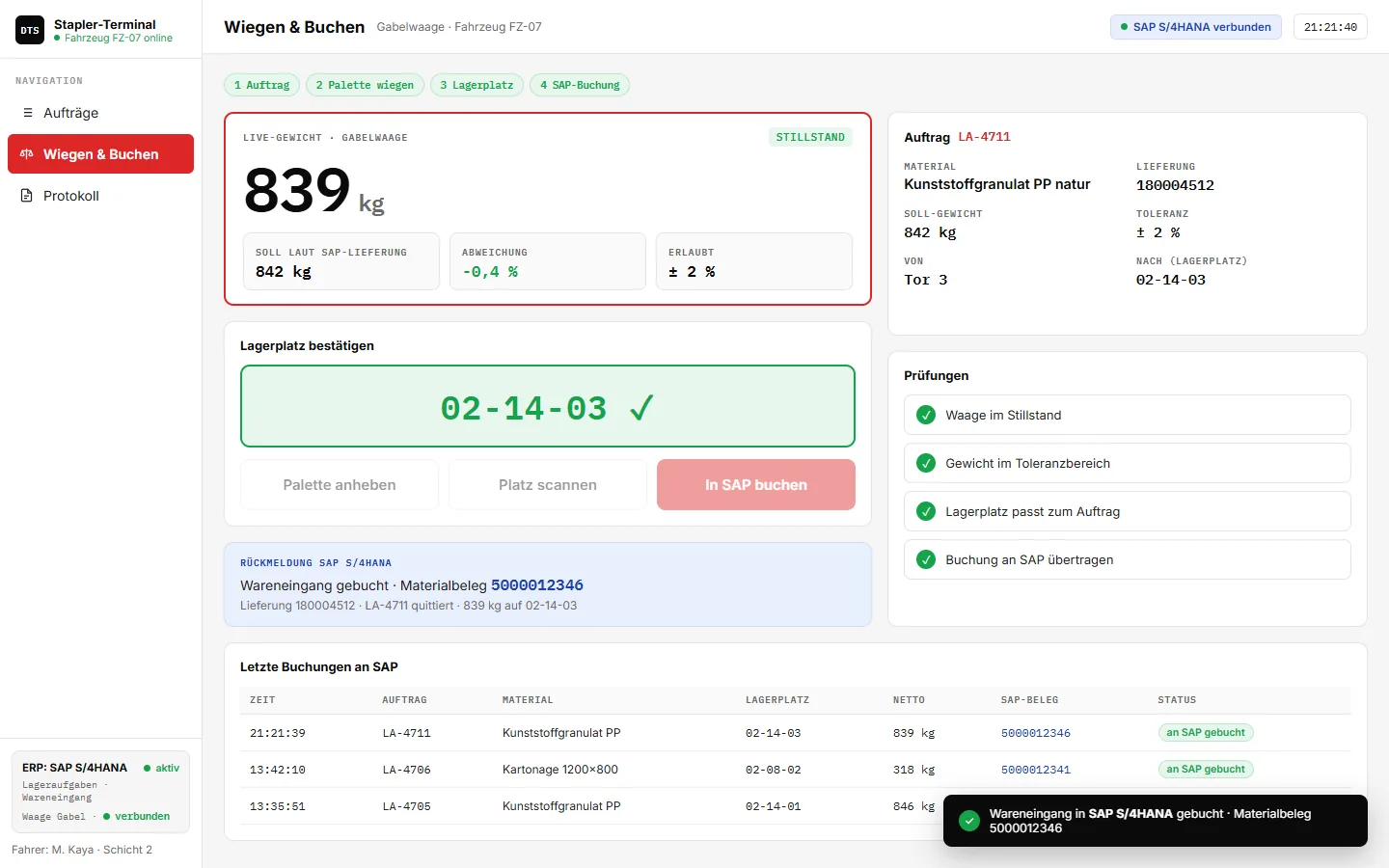
- Lift the palletThe fork scale reports standstill, the software compares the weight with the delivery.
- Scan bin & postConfirm the storage bin, post the goods receipt in SAP, material document back on the terminal.
Key features
- Warehouse tasks from SAPOpen tasks directly on the forklift
- Live weight from the forksWith standstill detection
- Check against the deliveryDeviation in percent, limit ± 2 %
- Storage bin by scanBin must match the task
- Post goods receipt in SAPMaterial document returned instantly
- Checklist before postingStandstill, tolerance, bin, transfer
- Log with SAP documentsEvery movement traceable
- Shift key figuresOpen, posted, tonnage, deviations
Integration with SAP and other ERP systems
The terminal fetches warehouse tasks from SAP S/4HANA (warehouse management or EWM) and posts the goods receipt with weight and storage bin back. The confirmation with the material document number appears directly on the forklift. The same pattern works with other ERP and warehouse management systems.
Besides SAP S/4HANA and SAP ECC, we integrate other ERP systems too – for example Microsoft Dynamics 365, abas, proALPHA, Odoo or weclapp. The interface adapts to your system, not the other way round.
More on connecting your scale to SAP
Frequently asked questions
Which forklift scales are supported?
We work manufacturer-independently: fork and pallet truck scales with a radio or cable interface to the indicator or vehicle terminal can be connected.
What happens in case of a deviation?
If the weight is outside the tolerance, posting is stopped and the deviation is documented – you decide how it is processed further.
This interface is an example we built for illustration – values and document numbers are simulated. For your operation, we develop it to fit your processes, scales and ERP.
Related topics
More solution examples