The starting point in this industry
In many laboratories, weighings are still read off the display and typed into the lab notebook or LIMS. That takes time, and in audits it is hard to prove that the documented value really came from the balance.
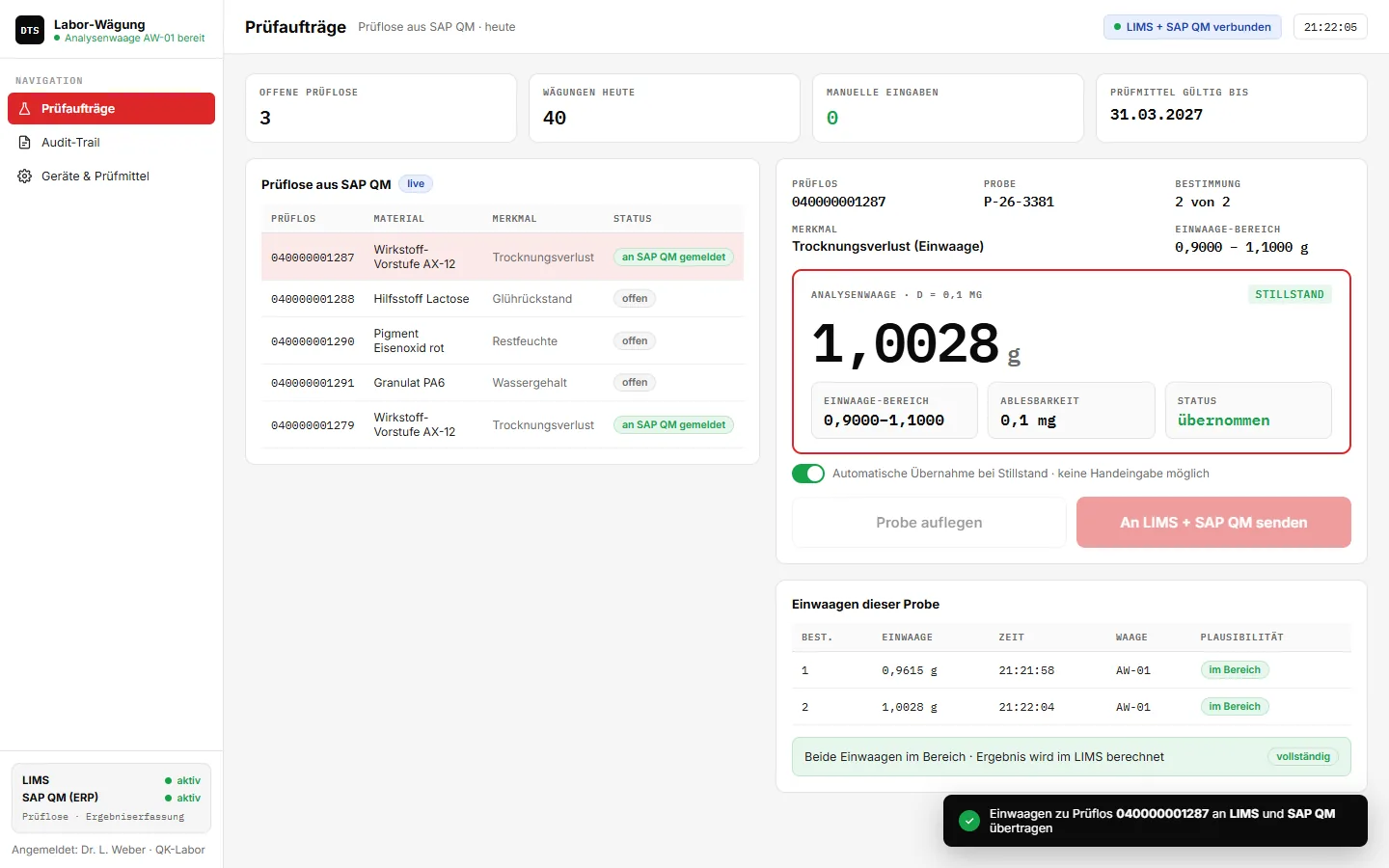
What is required is a complete chain: inspection order, sample, balance, value, time, user – logged unalterably and without manual transfer.
How it works
- Select inspection lotInspection lots and characteristics come from SAP QM, including the weighing range.
- WeighThe analytical balance reports standstill, the value is taken automatically – manual entry is locked.
- TransferWeighings go to the LIMS and SAP QM, every step is recorded in the audit trail.
Key features
- Inspection lots from SAP QMOpen inspection orders at a glance
- Automatic acceptanceAt standstill, without manual entry
- Weighing range per characteristicValues outside are not accepted
- Multiple determinationsSeveral weighings per sample
- Transfer to LIMS + SAP QMThe result is calculated in the LIMS
- Audit trailUser, time, value, reason
- Test equipment monitoringCalibration and daily test per balance
- Lock if test is missingUntested balances are locked
Integration with SAP and other ERP systems
Inspection lots and characteristics come from SAP QM, the weighings go to the LIMS and back to SAP QM as results recording. That way the inspection lot in the ERP stays complete without anyone transferring values.
Besides SAP S/4HANA and SAP ECC, we integrate other ERP systems too – for example Microsoft Dynamics 365, abas, proALPHA, Odoo or weclapp. The interface adapts to your system, not the other way round.
More on connecting your scale to SAP
Frequently asked questions
Which laboratory balances can be connected?
Analytical and precision balances with RS232, USB or Ethernet interface – manufacturer-independent.
Is this suitable for regulated environments?
Audit trail, user login and locked manual entry are the basis for it. We plan the validation for your area of application together with you.
This interface is an example we built for illustration – values and document numbers are simulated. For your operation, we develop it to fit your processes, scales and ERP.
Related topics
More solution examples