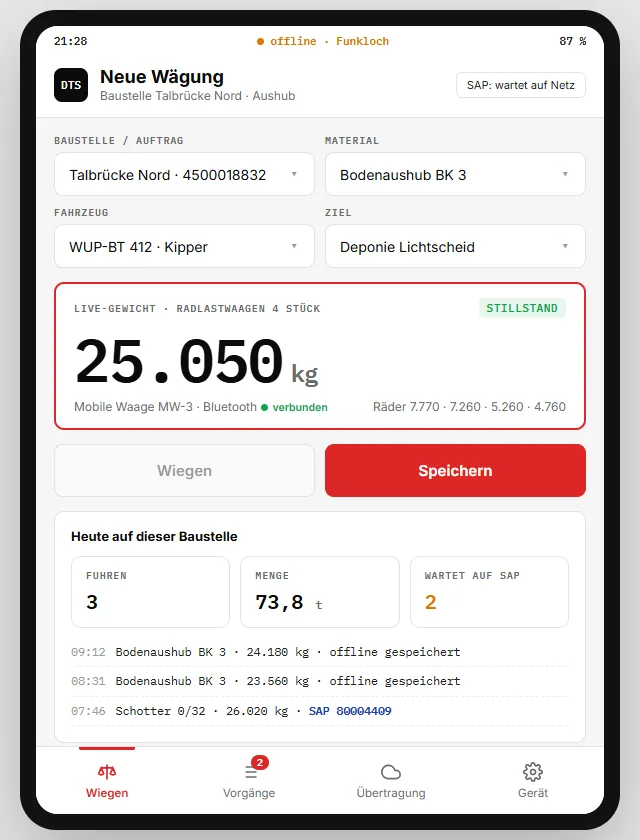
offlinesaves without network
Bluetoothconnection to the scale
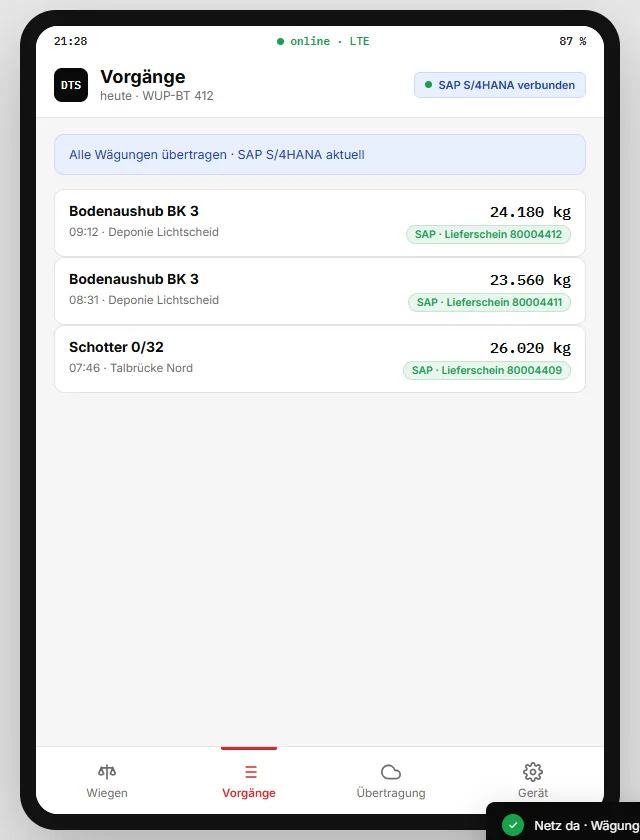
SAP S/4HANAdelivery notes automatically
The starting point in this industry
Mobile scales – wheel load, axle load or platform scales – deliver the weight where the work is done. Documentation still often runs on slips of paper that are taken to the office in the evening. If they get lost or are illegible, the basis for invoicing is missing.
What is needed is an app that works on site, even without mobile data, and gets the data to the office and the ERP without anyone having to do anything.
How it works
- Select the jobSite or order, material, vehicle and destination – master data is stored offline on the tablet.
- WeighLive weight of the mobile scale via Bluetooth, saved only at standstill.
- TransferWithout network into the buffer, with network automatically to the office and SAP.
Key features
- Offline modeMaster data and weighings stored locally
- Mobile scale via BluetoothLive weight with standstill detection
- Individual values per wheelPlausible at a glance
- Order, material, vehicleSelect instead of typing
- Automatic transferAs soon as there is a network again
- SAP delivery notesDocument number returned per weighing
- Daily overviewLoads, quantity, pending transfers
- Time stamp and locationFor every weighing
Integration with SAP and other ERP systems
Every weighing is transferred to SAP S/4HANA with order, material and vehicle and created as a delivery note; the document number comes back to the tablet. Without a network, the data stays in the buffer and is sent later in the right order.
Besides SAP S/4HANA and SAP ECC, we integrate other ERP systems too – for example Microsoft Dynamics 365, abas, proALPHA, Odoo or weclapp. The interface adapts to your system, not the other way round.
More on connecting your scale to SAP
Frequently asked questions
Which mobile scales work?
Manufacturer-independent: mobile wheel load, axle load and platform scales as well as crane scales with Bluetooth or radio interface.
What happens if the tablet is offline for a long time?
The weighings remain stored locally and are transferred completely as soon as there is a connection – even after days.
This interface is an example we built for illustration – values and document numbers are simulated. For your operation, we develop it to fit your processes, scales and ERP.
Related topics
More solution examples